

Open to the public soon
One file runs your stack.
A native workspace runs your agents.
Atlas starts your services in the right order, shows them live, and gives every coding agent its own git worktree, terminal and port range. A GPU terminal, a Zed-style workspace and an MCP server, built in Rust for the Mac.
$ atlas desktop public release soon
Product film
- omp · Claude Code · Codexagents with live status
- 120 HzMetal terminal, native
- MCP 2025-11-25stdio server for your agent
- MITopen source, in Rust
GPU terminal
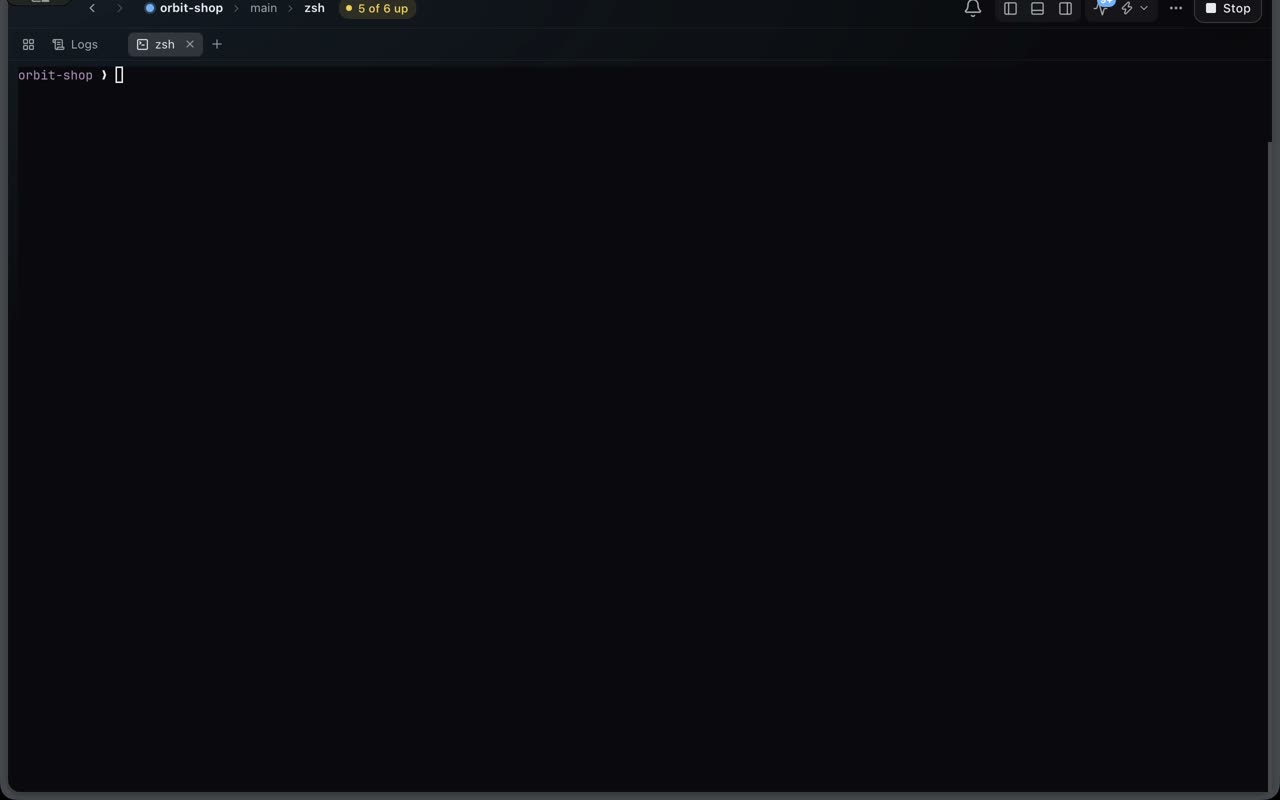
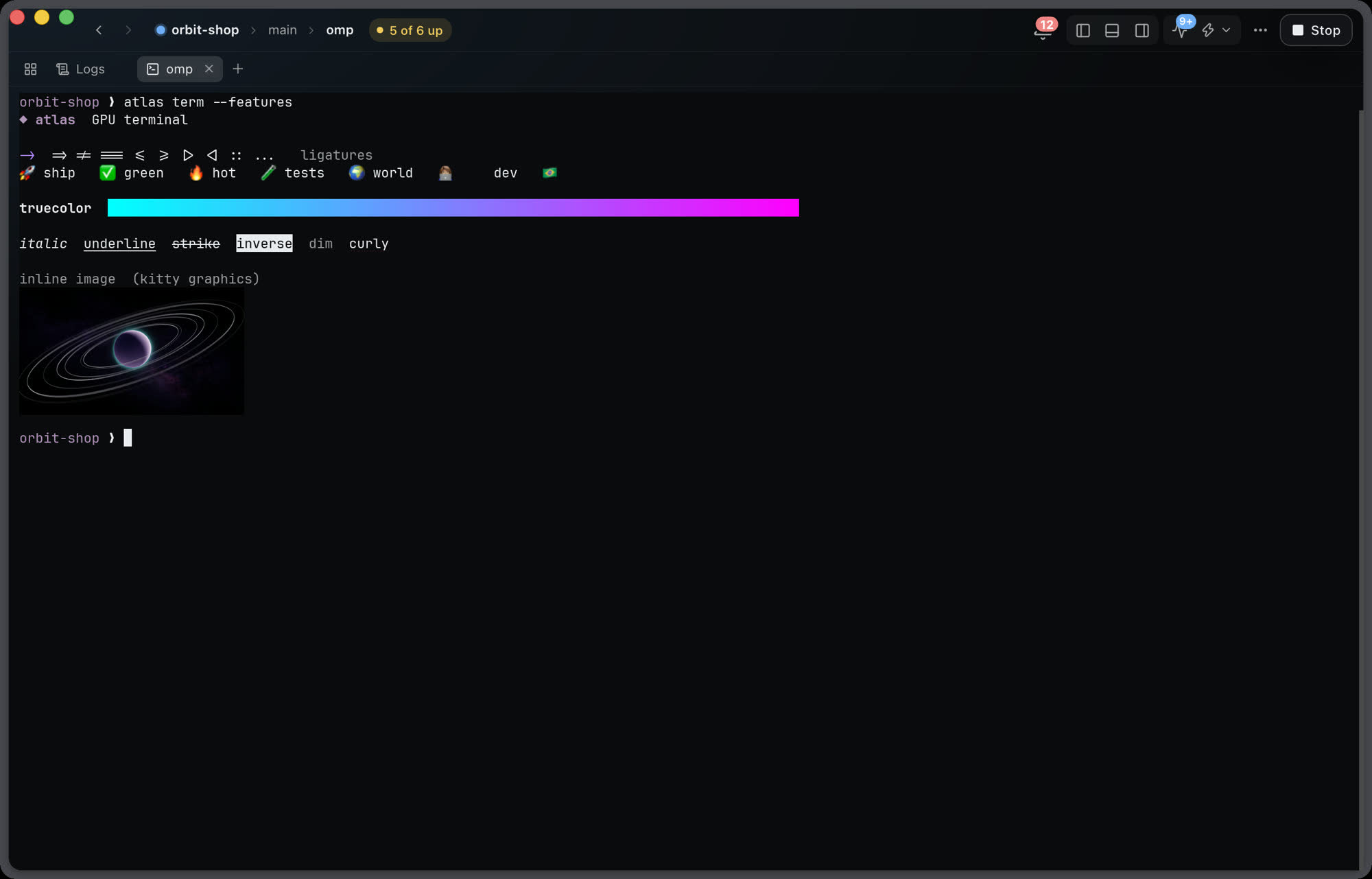
A terminal drawn on the GPU, not in a web view.
Most app terminals are xterm.js in a web view. Atlas draws each terminal natively with its own render thread that sleeps until there is output.
The numbers are in the docs, next to Ghostty's on the same machine, including the ones where Ghostty wins.
- Metal through wgpu, 120 Hz, about 0.3 ms of render work per frame at p95
- Kitty graphics and sixel images, color emoji, ligatures
- Shell integration: jump between prompts, exit codes, working directory
- Backpressure like a native terminal: a fast program cannot eat your memory
Workspace
A Zed-style workspace, with a space per project.
Spaces keep projects apart without making you juggle windows. Switch with a two-finger swipe over the sidebar, or ⌃1 to ⌃9.
Shortcuts, names and themes follow Zed's, so your muscle memory carries over.
- Every repo is a space with its own accent color, worktrees, tabs and docks
- Left, right and bottom docks. Hide a sidebar and peek it from the window edge
- Command palette with every action, go to file, go to symbol
- Rebind any key. Zed themes color the app, the editor and the terminals
Project panel
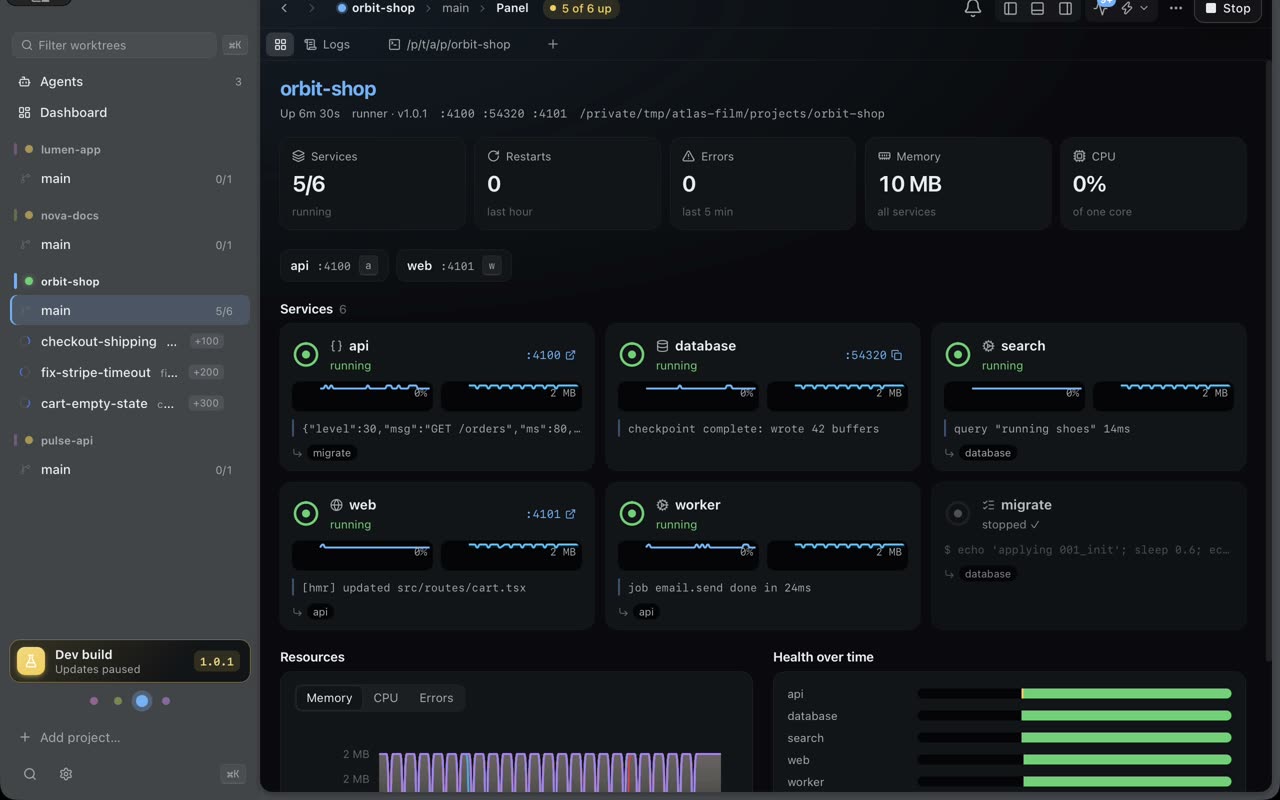
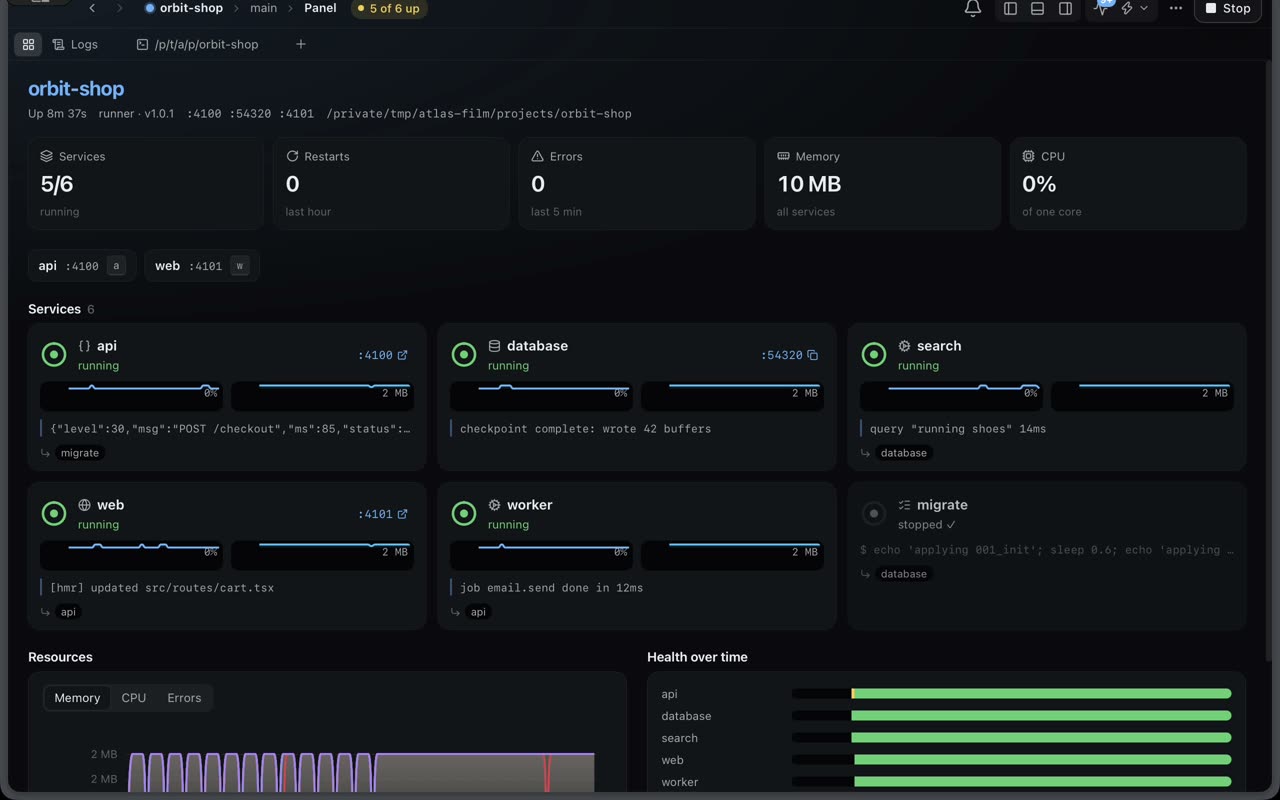
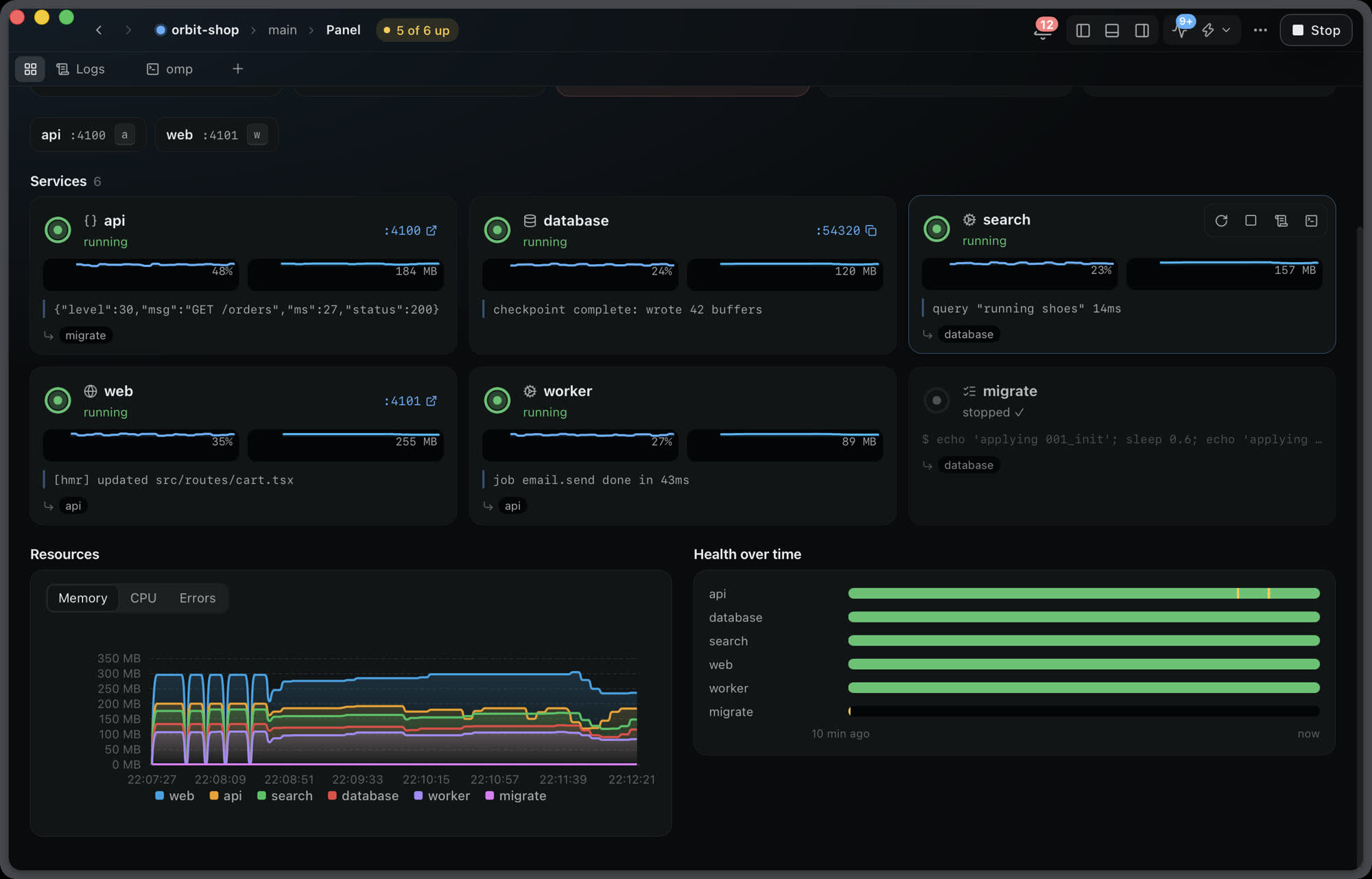
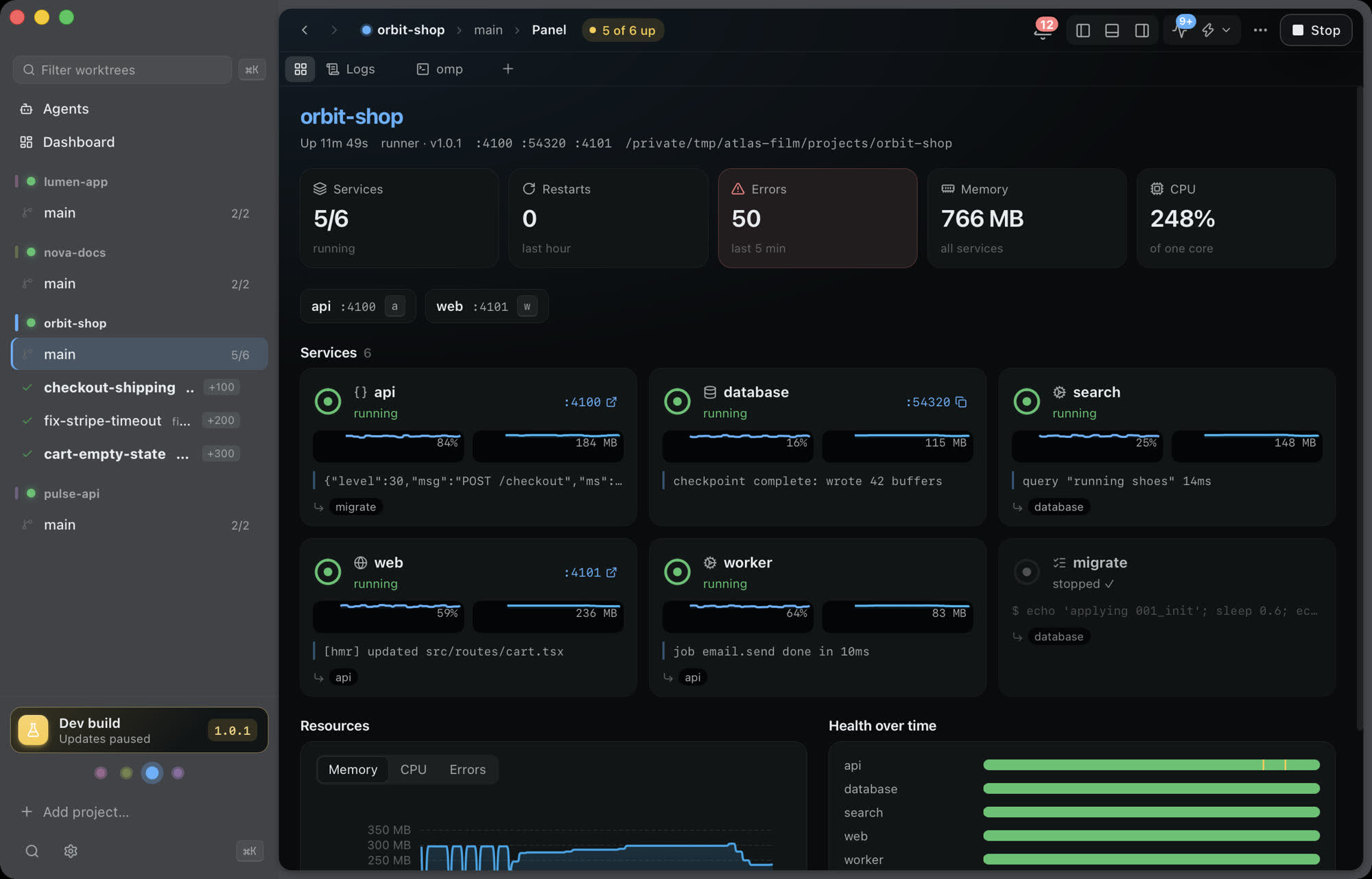
Your stack's health, live, the moment you open the project.
Every worktree opens on its panel. The header says All healthy, 2 starting or 1 failed before you read anything else.
- A card per service with state, port, last log line and CPU and memory sparklines
- Stacked charts for memory and CPU, error rate for the last 5 minutes
- Health over time: running, starting and failed bands for the last 10 minutes
- Failed services show why, and one click opens their logs
Logs
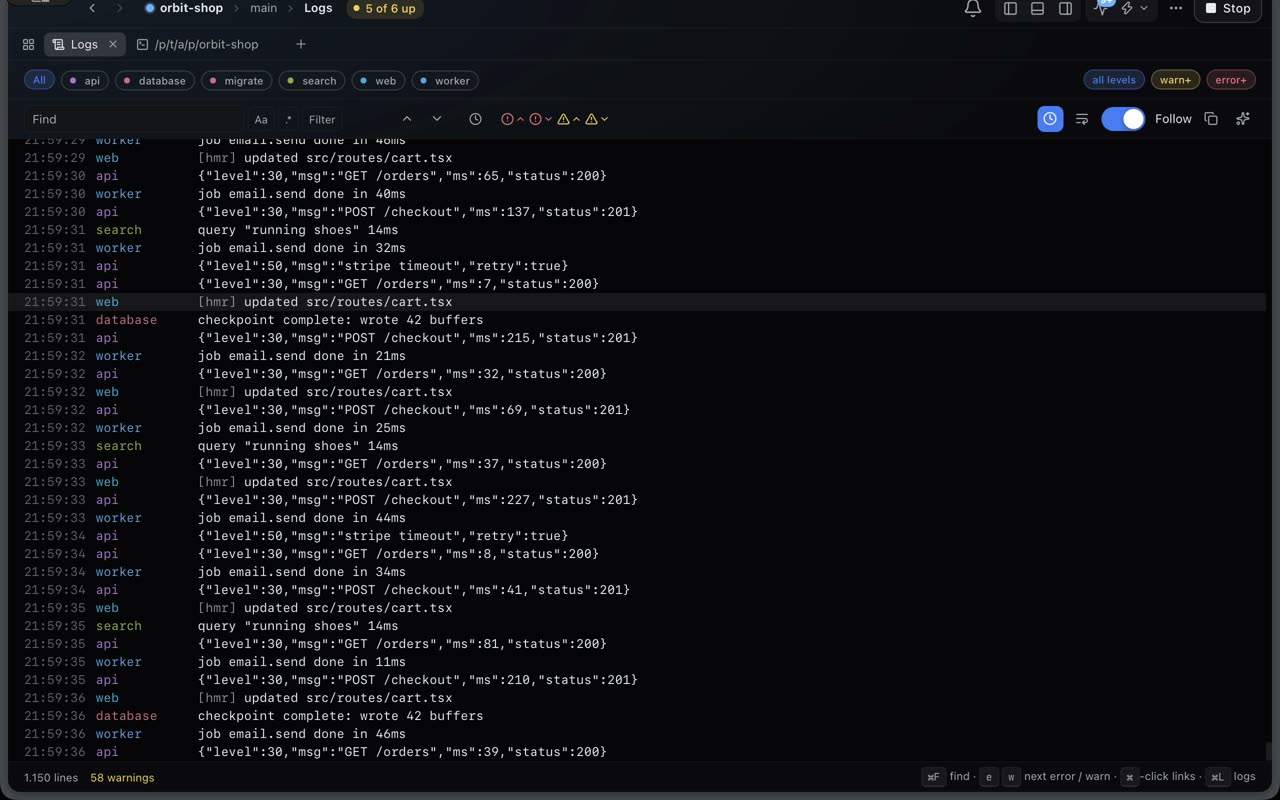
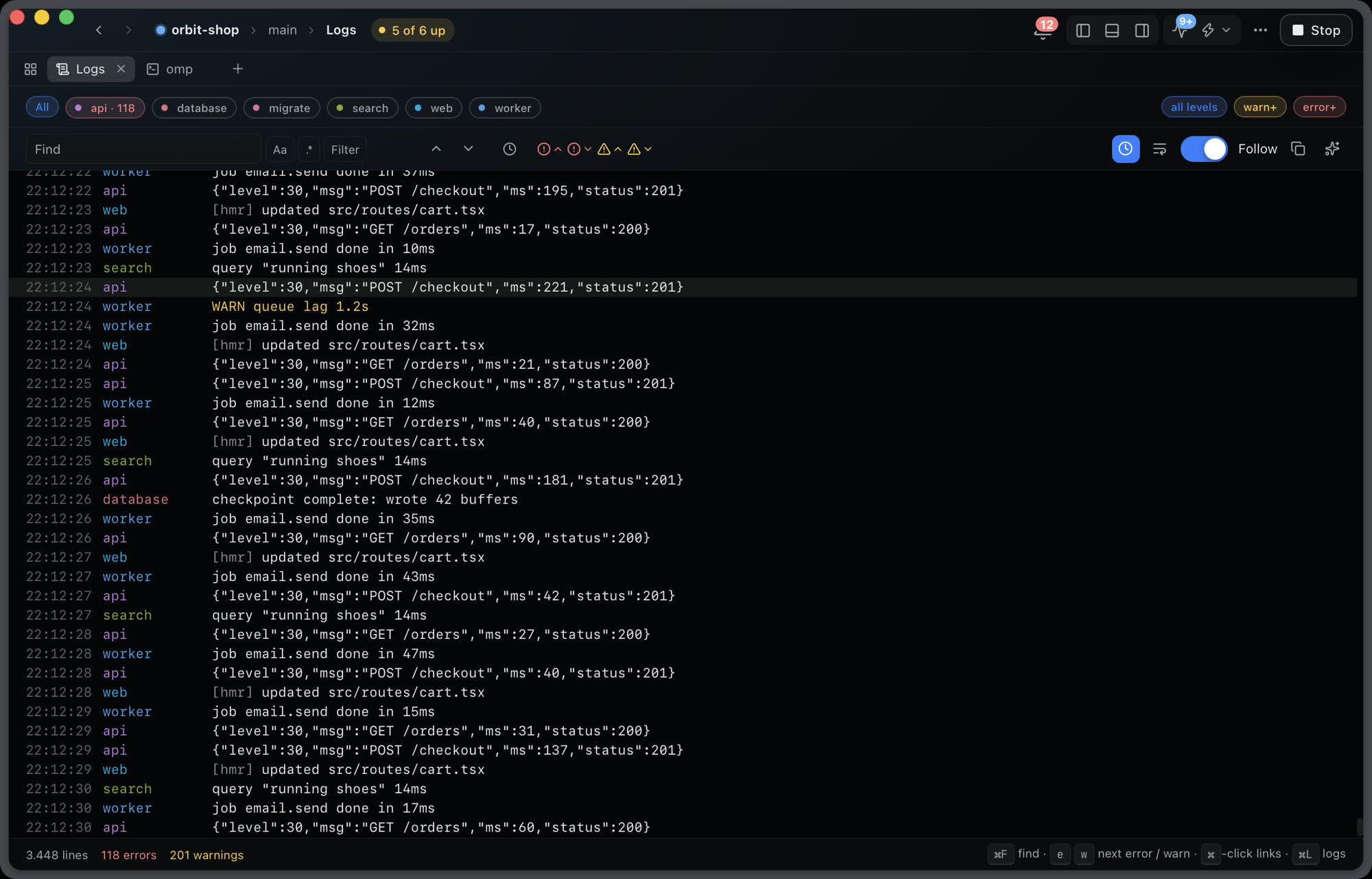
Logs built for real traffic, in the TUI and the desktop.
A chatty service should not hide the one that is failing. Lines are assembled from the raw pipe, each service has its own buffer, and the view only parses what is on screen.
- Stays at frame rate through bursts of hundreds of thousands of lines
- Find with regex, match counter and highlights. Filter, level filter, time ranges
- Jump to the next error or warning. Click a URL or path:line to open it
- Everything also lands in .logs/ on disk, so nothing is lost when you scroll
Agents
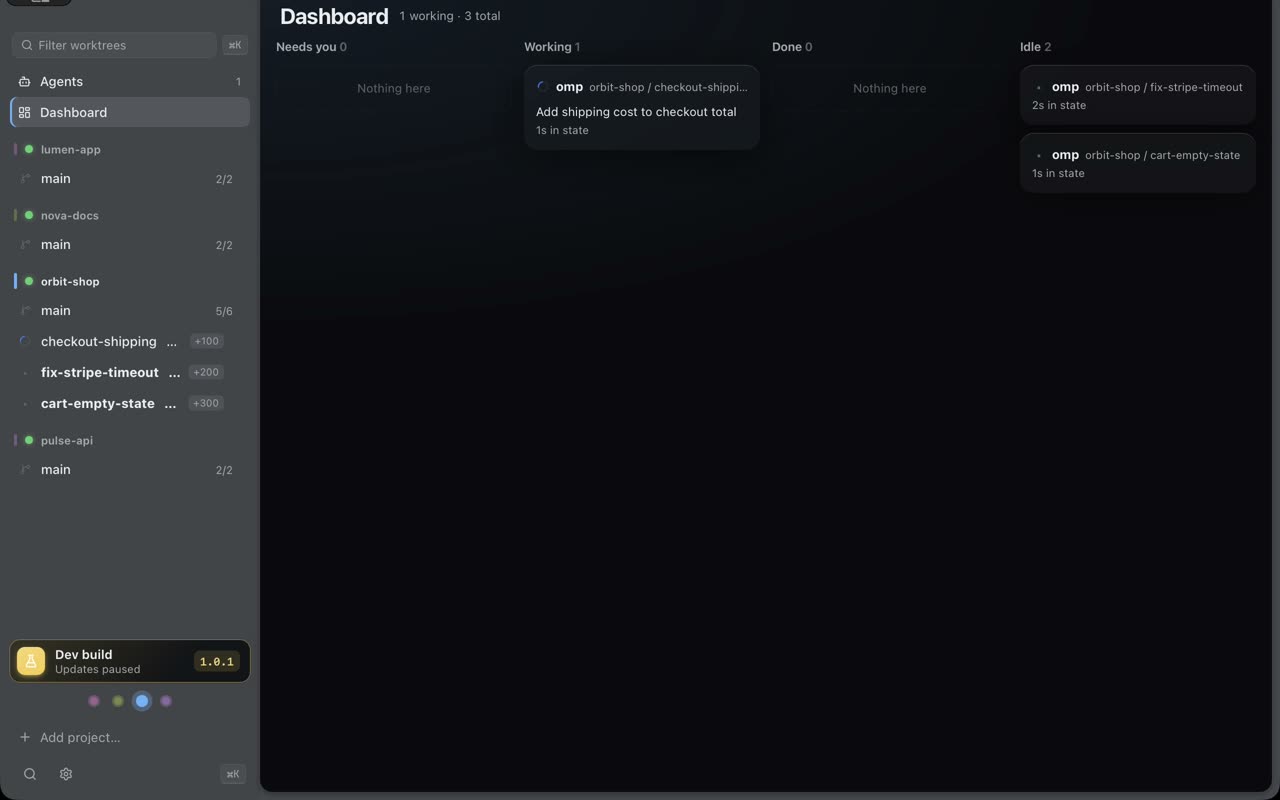
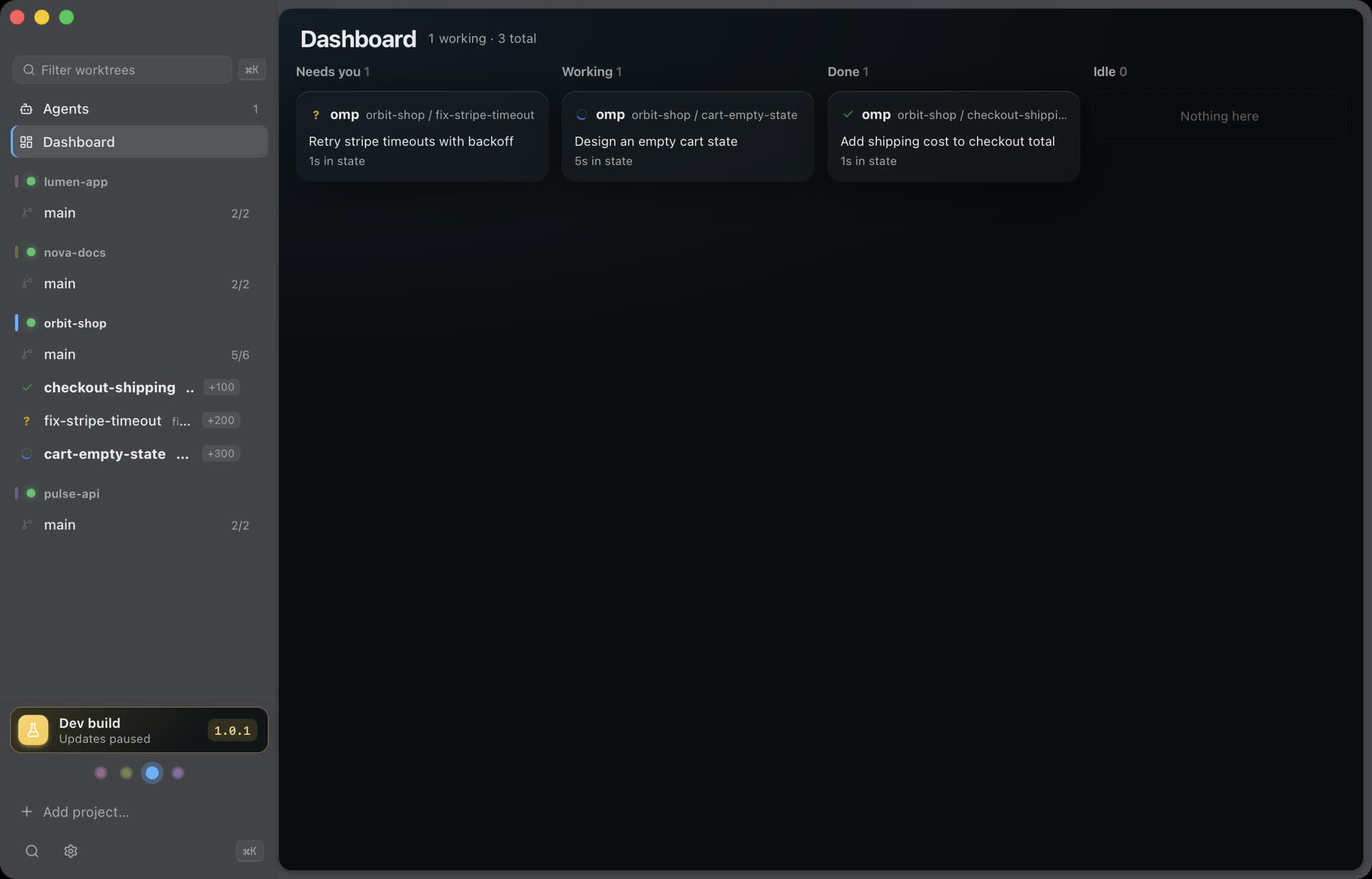
Run omp, Claude Code and Codex side by side, each in its own worktree.
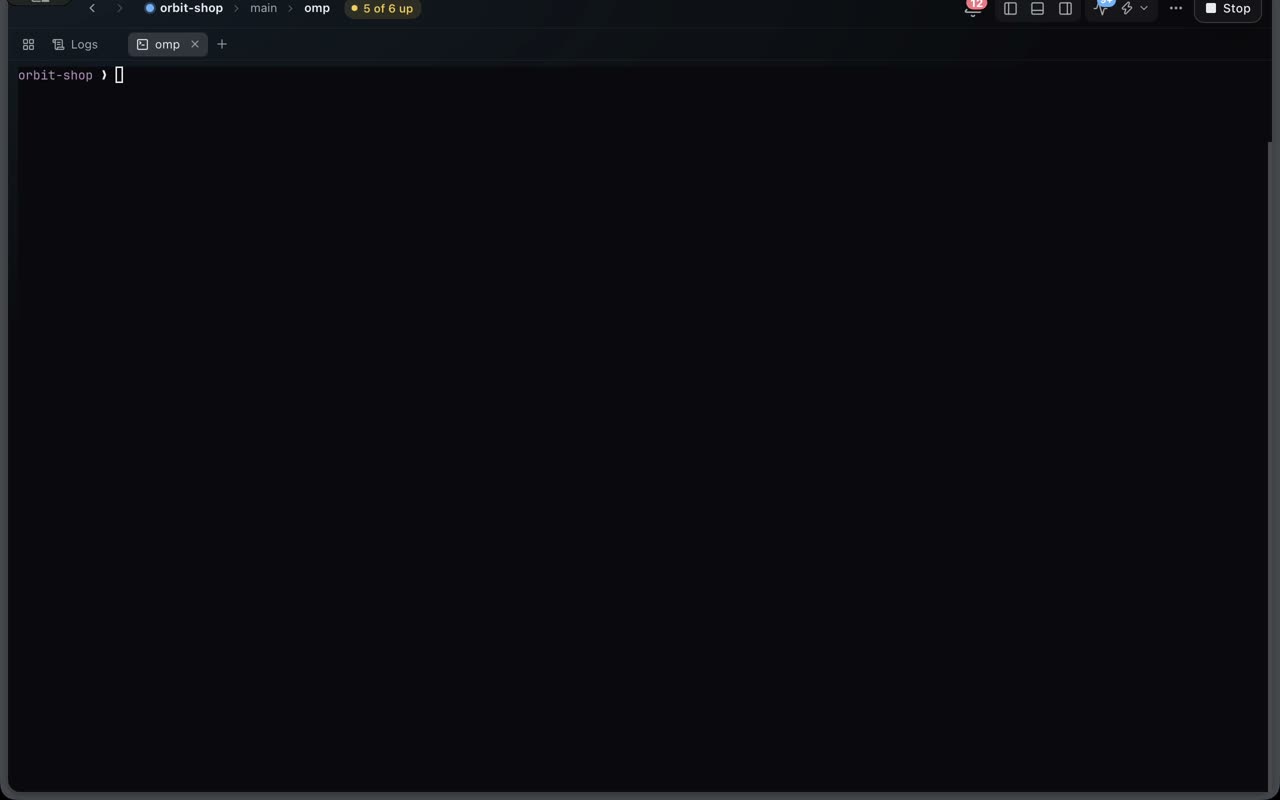
An agent task is a worktree. Atlas creates it from origin/main, applies your setup, offsets the ports, and opens the agent in a terminal that survives quitting the app.
- New worktree: branch, checkout, setup script and a port offset, so each one runs its own stack
- Live status per agent: working, needs you, done. Notifications and Dock badge
- Review the diff, comment a line and send it back to the agent
- PRs and checks through gh. Failed checks go to the agent in one click
MCP server
Let your agent read the logs instead of asking you to paste them.
Ask "why is api failing?" or "restart web and wait until it is ready". The agent calls the same live state the TUI shows.
- atlas_status, atlas_logs, atlas_logs_search, atlas_config
- Restart, stop and start a service, then atlas_wait_ready
- Destructive actions need your confirmation before the agent can run them
- One command wires it up: atlas setup claude-code --apply
atlas.yaml
One file for the whole stack.
Infra, services, health checks, dependencies, restarts and actions. A typo gets a did you mean before your terminal goes raw. Try editing the file below.
Change a depends_on and the order follows. Atlas waits for each condition before it starts the next layer.
CLI and TUI
Prefer the terminal? It is the same engine.
Dependency conditions, restart with backoff, log search, mouse support, a command palette. atlas dev --headless and --ci are there for scripts. Crash loops give up loudly instead of showing a fake green dot.
The app
Real screenshots, not mockups.
Captured from the Atlas Desktop debug build running a demo project.
How it works
Three steps, about a minute.
- 1
Describe the stack
Run
atlas initin your repo. It writes anatlas.yamlfrom what it finds: compose file, package scripts, ports. - 2
Start it
atlas devin the terminal, or press Start in the desktop app. Migrations run first, the API is waited on, the web app follows. - 3
Plug your agents in
atlas setup claude-code --apply, oromp, orcodex. They get tools to read logs and restart services, and a worktree each.

Coming soon
Atlas opens to the public soon.
Leave your email and we will write once, when the repository is public and the first release is out.
Or star the repository to follow along: github.com/codeatlasdev/atlas
FAQ
Questions
When can I use it?
Atlas is in private use at CodeAtlas today and opens to the public soon. Join the list above and we will send one email when the repository goes public and the first public release is out.
What does it run on?
macOS 13 or later on Apple silicon. The CLI and TUI also run on Linux. The desktop app and the GPU terminal are macOS only for now.
Is it open source?
Yes. Atlas is MIT licensed and the source will be public on GitHub at launch. The repository link in the footer will start working then.
Do I need the desktop app to use atlas.yaml?
No. The CLI, the TUI and the MCP server work on their own. The desktop app is a client of the same runners, so the app, a terminal and an agent all see the same live state.
Which agents does it work with?
omp, Claude Code and Codex. atlas setup detects them, shows what it would change, and with --apply adds the MCP server, the skills and the status hooks. Cursor and other MCP clients can be configured by hand.
Does quitting the app stop my stack?
No. Start runs atlas dev --detach and terminals live in a per-user daemon, so stacks and agents keep running when the app quits, crashes or updates.
Does it send my code or logs anywhere?
No. Atlas is local first. Logs stay in .logs/ in your project, the control socket is local, and the waitlist form on this page is the only thing that talks to a server.
How is it different from process-compose, mprocs or Tilt?
Those run processes. Atlas also gives you the workspace around them: a GPU terminal, worktrees per agent, a project panel with live charts, and an MCP server so agents can read logs and restart services. The comparison table in the README is honest about where others win, such as Windows and replicas.